Epson
Epson T6193 Maintenance Box Compatible for SureColor SC-T3000 / SC-T5000 / SC-T7000 / SC-F6000 / SC-P10000 | PRM
Epson T6193 Maintenance Box Compatible for SureColor SC-T3000 / SC-T5000 / SC-T7000 / SC-F6000 / SC-P10000 | PRM
Couldn't load pickup availability
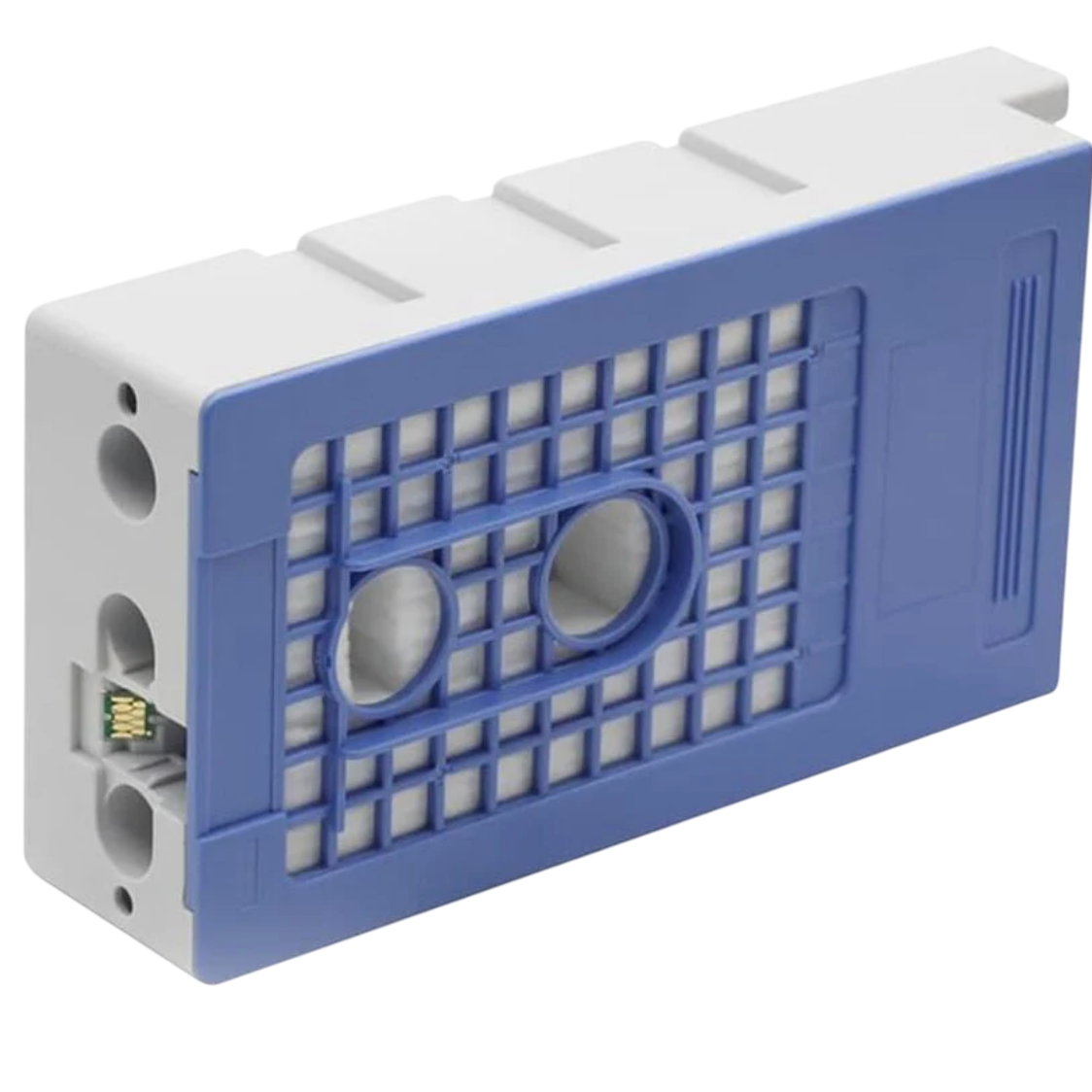
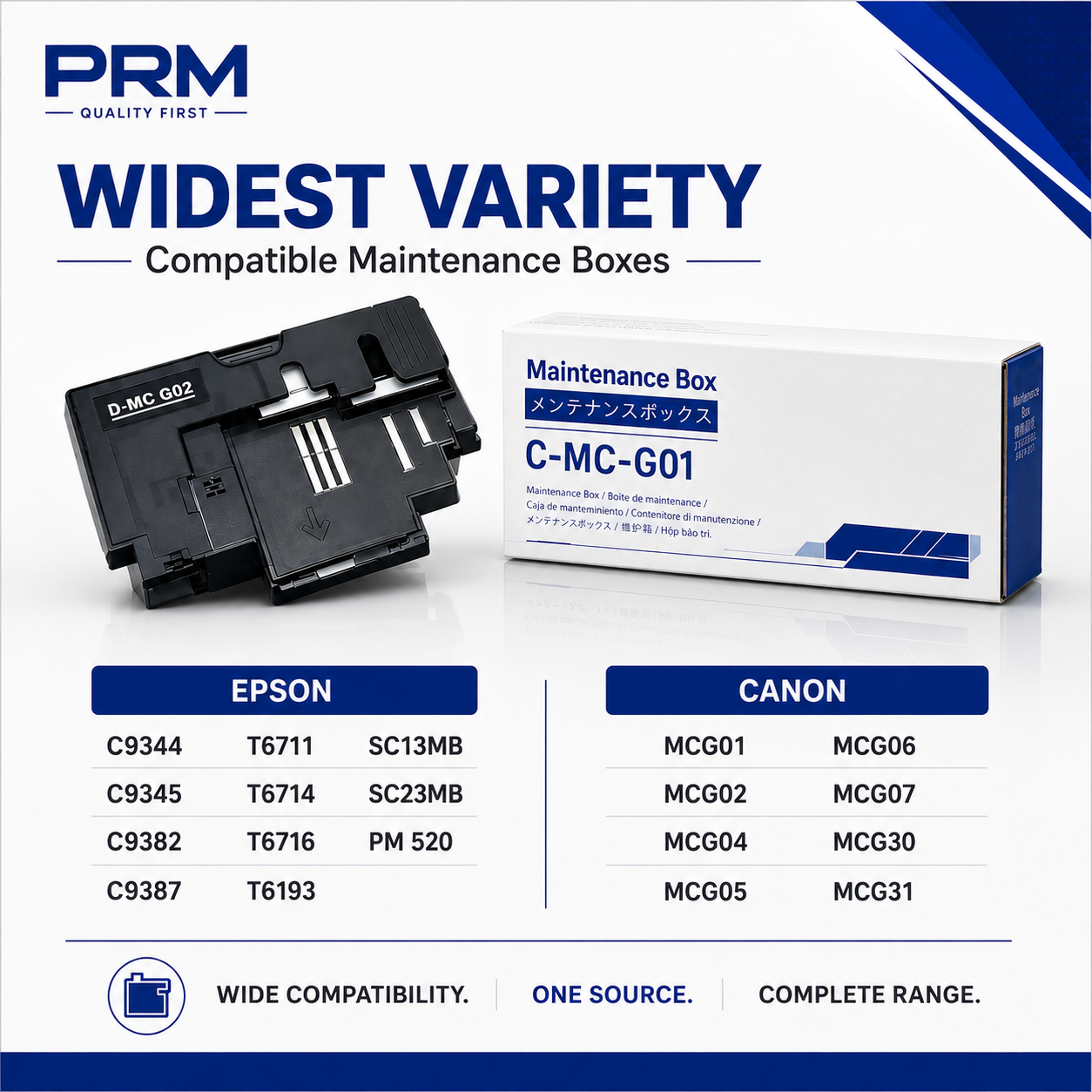
Compatible Maintenance Box for Epson T6193 (T619300 / C13T619300)/ SC1MB
Get your Epson SureColor back to printing with the PRM Compatible Maintenance Box. This is a direct replacement for the original Epson T6193 — clearing the "Maintenance Box Full" error and restoring normal printing immediately.
Looking for an Epson SC-T3000 maintenance box, Epson SC-T5000 maintenance box, or Epson SC-F6000 maintenance box? The T6193 is the correct maintenance box for all Epson SureColor T-series, F-series, and P-series large-format printers listed below.
What is a Maintenance Box?
The maintenance box is a small absorbent pad container that collects excess ink during printing, head cleaning, and nozzle checks. Over time, this pad fills up with waste ink. When it's full, your printer displays a "Maintenance Box Full" or "Maintenance Box End of Service Life" error and stops printing completely — even if your ink tanks are full.
This is not a malfunction. It's a routine consumable replacement, just like replacing ink cartridges. Large-format printers consume maintenance box capacity faster than desktop printers due to larger print heads, more frequent automatic head cleaning cycles, and higher ink volumes per print.
When Do You Need a New Maintenance Box?
Replace your maintenance box when you see:
- "Maintenance Box is Full" error on the printer display
- "Maintenance Box End of Service Life" message
- Printer stops printing completely and refuses all print jobs
- Warning message that the maintenance box is "nearly full"
- Ink pad counter reached 100% in the printer utility software
For large-format printers, a full maintenance box during a production run can halt an entire print shop. Keep a spare T6193 in stock at all times — once the error appears, the printer will not print a single page until the maintenance box is replaced.
1. Instant Fix — Clear the Error, Start Printing: Remove the full maintenance box, insert the new one, and the error clears automatically. Your printer resets the ink pad counter and is ready to print immediately. The entire swap takes under 5 minutes.
2. Fits the Entire SureColor Large-Format Range: The T6193 is used across three SureColor families — the T-series (technical/CAD printers), F-series (dye-sublimation printers), and P-series (production photo printers). One maintenance box covers all of them, from 24-inch desktop models to 64-inch production machines.
3. Built for Large-Format Volume: SureColor printers are designed for continuous, high-volume output — architectural drawings, engineering blueprints, sublimation transfers, fine art prints, and production photo printing. The T6193 is engineered for the heavy ink waste these printers generate during head cleaning and large-area printing.
4. Critical for Dye-Sublimation Printers (F-Series): The SC-F6000 and SC-F6070/F6270 are dye-sublimation printers that run for hours during transfer printing. Frequent head cleaning cycles mean the maintenance box fills faster than on standard inkjet printers. A spare T6193 is essential for any sublimation print shop.
5. Essential for Production Printers (P-Series): The SC-P10000 and SC-P20000 are 44-inch and 64-inch production photo printers. Downtime on these machines costs real money. Keeping a spare maintenance box eliminates unexpected production stops.
6. Compatible Quality, Same Function: The maintenance box is an absorbent pad in a plastic housing — there is no electronic component or print quality difference between original and compatible. It collects waste ink. A compatible box does this identically to the original at a fraction of the price. Especially valuable for large-format printers where original Epson maintenance boxes can be very expensive.
7. No Chip Issues: This compatible maintenance box comes with the chip pre-installed. Your printer will recognise it immediately — no error messages, no workarounds needed.
8. Easy Installation: Open the maintenance box compartment, slide out the old box, slide in the new one, and close. Under 5 minutes. No tools needed. Handle the old box carefully — large-format maintenance boxes hold significantly more waste ink than desktop printer boxes.
9. Tested Before Shipping: Every PRM maintenance box is checked for proper fit and chip function before dispatch. Backed by our testing warranty.
Compatible Printers:
Epson SureColor T-Series: SC-T3000, SC-T5000, SC-T7000, SC-T3200, SC-T5200, SC-T7200, SC-T3070, SC-T5070, SC-T7070, SC-T3270, SC-T5270, SC-T7270
Epson SureColor F-Series: SC-F6000, SC-F6070, SC-F6270
Epson SureColor Production: SC-P10000, SC-P20000
Also known as: Epson T6193 Maintenance Box, Epson T619300, Epson C13T619300, Epson SC-T3000 Maintenance Box, Epson SC-T5000 Maintenance Box, Epson SC-T7000 Waste Ink Box, Epson SC-F6000 Maintenance Tank, Epson SC-P10000 Maintenance Box, Epson SureColor Maintenance Box, Epson T6193 Waste Ink Pad, Epson Large Format Maintenance Box
Share