Canon
Canon MC-G06 Maintenance Cartridge Compatible for PIXMA TS7720 / TS7750i / TS7770 / TR7820 / TS6730 | PRM
Canon MC-G06 Maintenance Cartridge Compatible for PIXMA TS7720 / TS7750i / TS7770 / TR7820 / TS6730 | PRM
Couldn't load pickup availability
Compatible Maintenance Cartridge for Canon MC-G06
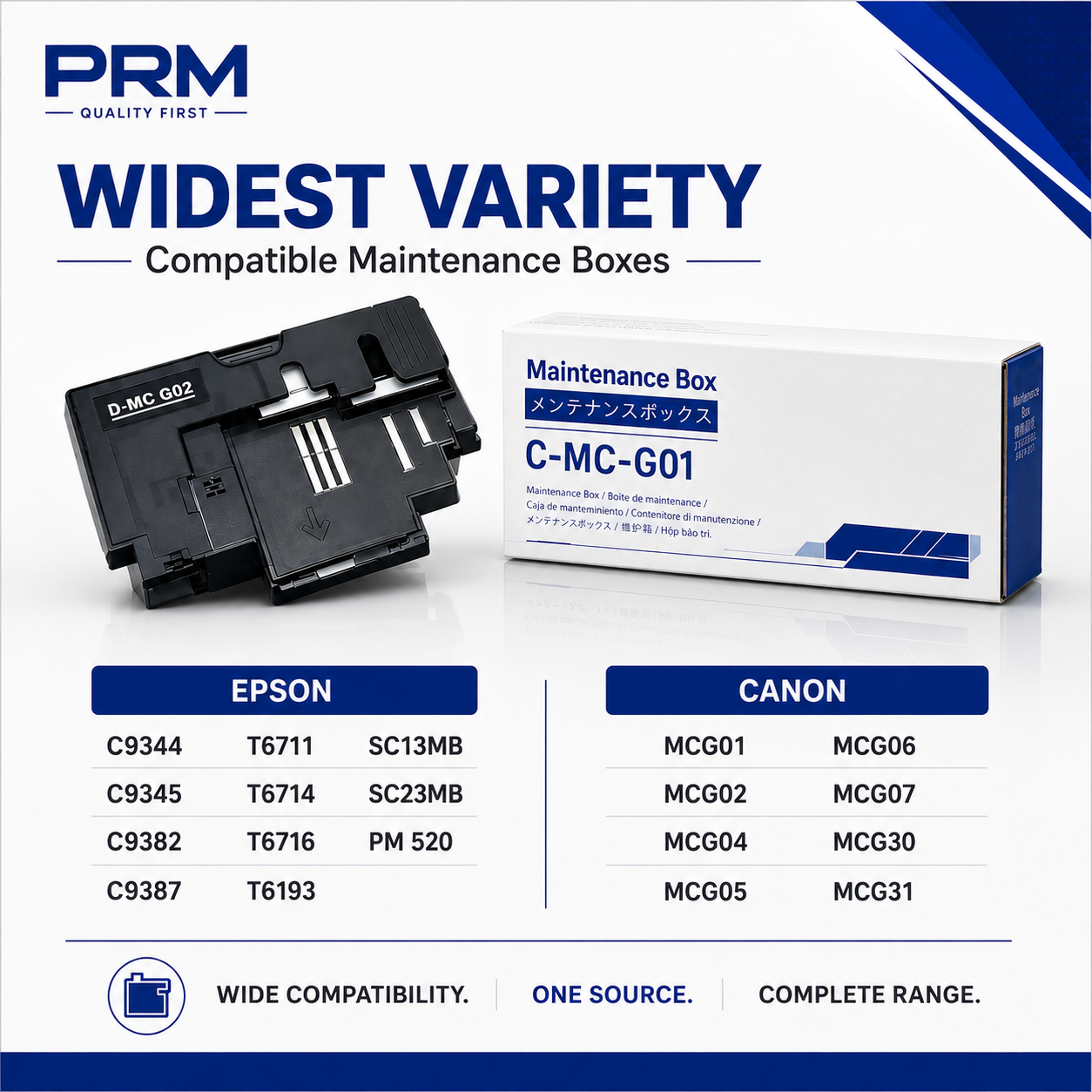
Get your Canon PIXMA back to printing with the PRM Compatible Maintenance Cartridge. This is a direct replacement for the original Canon MC-G06 — clearing the "Maintenance Cartridge Full" error and restoring normal printing immediately.
Looking for a Canon TS7720 maintenance cartridge, Canon TS7770 maintenance cartridge, or Canon TR7820 maintenance cartridge? The MC-G06 is the correct maintenance cartridge for all Canon PIXMA TS and TR series printers listed below.
MC-G06 vs MC-G02 / MC-G04 — Which One Do I Need?
Canon uses different maintenance cartridges for different printer families. The MC-G06 fits the PIXMA TS and TR series cartridge-based printers listed below. The MC-G02 fits G-series ink tank printers (G1020, G2020, G3020 etc.) and the MC-G04 fits the newest G-series generation (G1730, G2730, G3770 etc.). They are NOT interchangeable — check your printer model below to confirm.
What is a Maintenance Cartridge?
The maintenance cartridge is a small absorbent pad that collects excess ink during printing, head cleaning, and borderless photo printing. Over time, this pad fills up with waste ink. When it's full, your printer displays a "Maintenance Cartridge Full" or "Absorber Full" error and stops printing completely — even if your ink cartridges are full.
This is not a malfunction. It's a routine consumable replacement, just like replacing ink cartridges. The maintenance cartridge is designed to be swapped out when full. Photo-focused printers like the TS and TR series consume maintenance cartridge capacity faster due to frequent borderless photo printing and automatic head cleaning cycles.
When Do You Need a New Maintenance Cartridge?
Replace your maintenance cartridge when you see:
- "Maintenance Cartridge Full" or "Absorber Full" error on the printer display
- Support code 1496 or 1497 on the printer screen
- Printer stops printing completely and refuses all print jobs
- Warning message that the maintenance cartridge is "nearly full"
Don't wait for the cartridge to reach 100% — once the error appears, the printer will not print a single page until the maintenance cartridge is replaced. If you see a "nearly full" warning, order a replacement now so you have it ready.
1. Instant Fix — Clear the Error, Start Printing: Remove the full maintenance cartridge, insert the new one, and the error clears automatically. Your printer is ready to print immediately. The entire swap takes under 2 minutes.
2. Fits Canon's Premium PIXMA TS and TR Range: The MC-G06 covers Canon's premium home and small office printers — the PIXMA TS series (photo-focused all-in-ones) and TR series (home office MFPs with fax and ADF). One maintenance cartridge works across all models.
3. Built for Photo Printing: The PIXMA TS7720, TS7750i, TS7770, and TS7780 are Canon's premium photo printers with 6-ink systems, borderless printing, and dedicated photo paper trays. Borderless photo printing sends excess ink to the maintenance cartridge with every print — if you print photos regularly, the cartridge fills up faster than with document printing alone.
4. Covers Home Office MFPs (TR Series): The TR7820 and TR7720 are Canon's home office multifunction printers with print, scan, copy, fax, and ADF. The same MC-G06 fits these models too — no need for a separate maintenance cartridge.
5. Compatible Quality, Same Function: The maintenance cartridge is an absorbent pad in a plastic housing — there is no electronic component or print quality difference between original and compatible. It collects waste ink. A compatible cartridge does this identically to the original at a fraction of the price.
6. Easy Installation: Open the maintenance cartridge cover, slide out the old cartridge, slide in the new one, and close. Under 2 minutes. No tools needed. Handle the old cartridge carefully — it's full of waste ink.
7. Tested Before Shipping: Every PRM maintenance cartridge is checked for proper fit before dispatch. Backed by our testing warranty.
Compatible Printers:
Canon PIXMA TS Series: TS6630, TS6730, TS7640i, TS7650i, TS7720, TS7740i, TS7750i, TS7770, TS7770A, TS7780, TS7780A, TS7790A
Canon PIXMA TR Series: TR7720, TR7820
Also known as: Canon MC-G06 Maintenance Cartridge, Canon MCG06, Canon TS7720 Maintenance Cartridge, Canon TS7770 Maintenance Cartridge, Canon TR7820 Maintenance Cartridge, Canon TS7750i Waste Ink Box, Canon TS6730 Maintenance Cartridge, Canon TS7780 Maintenance Cartridge, Canon MC-G06 Absorber, Canon MC-G06 Waste Ink Pad, Canon PIXMA TS Maintenance Cartridge
Share